
Ops Playbook
What Should You Send Before Asking MIS to Review an X-Ray System?
August 14, 2026 · 6 min · Medical Imaging Specialists
Practical considerations, risk points, and what to ask before you buy, service, move, or maintain imaging equipment.
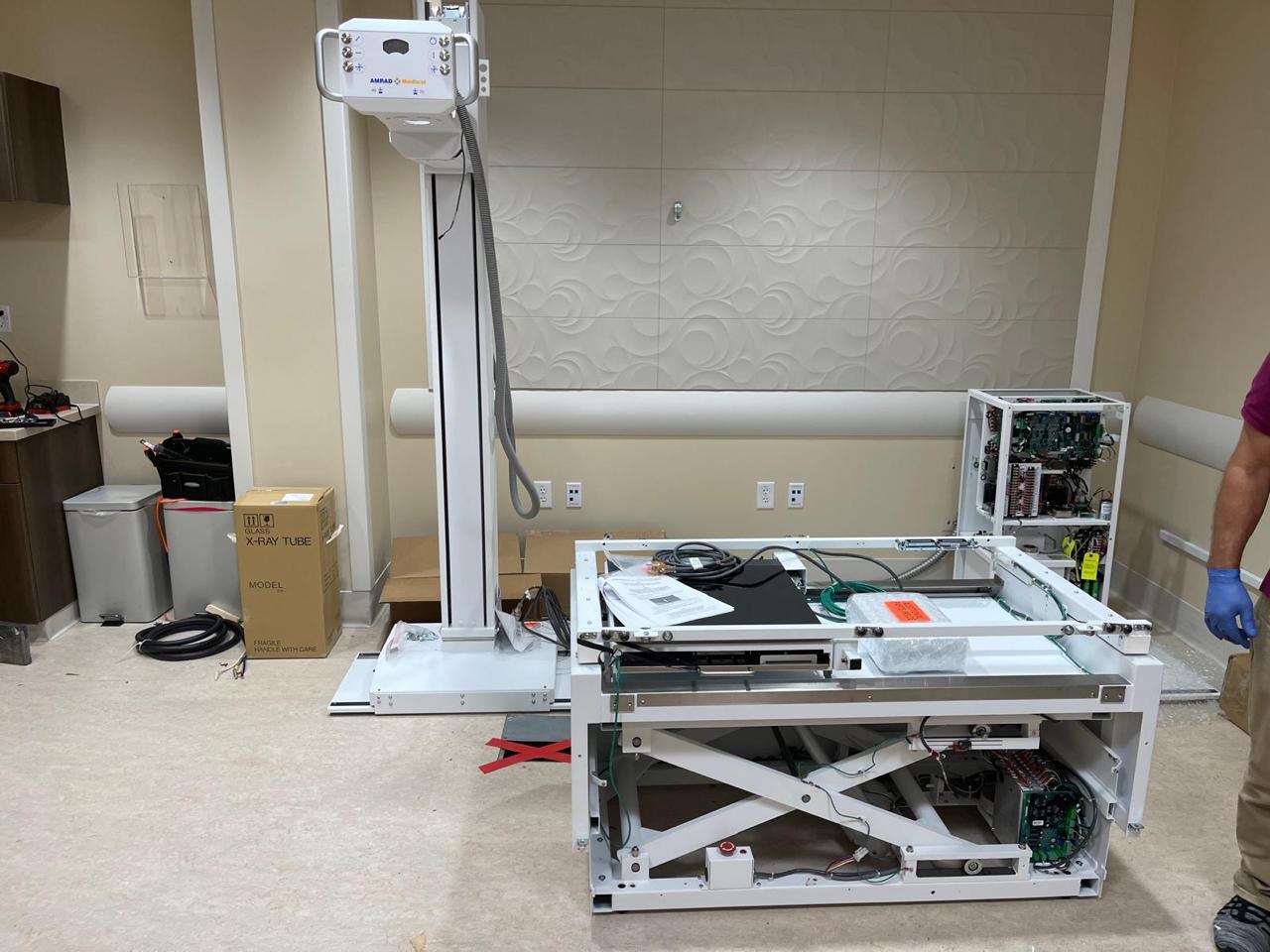
Before asking Medical Imaging Specialists to review an X-ray system, send the system type, manufacturer, model, serial number, configuration if known, PHI-free symptoms or error text, service and PM history, recent parts activity, operating status, facility location, timeline, photos of labels and the room, and the outcome you want: service, parts help, replacement planning, deinstallation, or seller review. The goal is not to make the facility diagnose the problem. It is to give MIS enough context to route the request correctly and avoid guessing from a one-line message.
Why does intake matter for an X-ray system review?
An X-ray system can create several different business questions. One facility may be trying to fix a down room. Another may need a detector, board, cable, workstation, or generator part identified. A third may be deciding whether an older system is still worth supporting. Another may want to sell or remove equipment during a room upgrade.
Those requests sound related, but they do not need the same next step. A service review starts with symptoms, fault history, and operating status. A parts request starts with part numbers, labels, photos, and compatibility. A replacement conversation needs room fit, workflow, budget constraints, and installation path. A seller or retirement review needs condition, location, access, documentation, and removal timing.
Good intake keeps the conversation honest. MIS can see whether the request fits current service, parts, equipment, upgrade, deinstallation, or seller processes without inventing a diagnosis, price, response time, or compatibility promise before review.
If you are still deciding whether age alone means replacement, start with the MIS guide to X-ray equipment lifespan, maintenance, and replacement cost factors. This article is the practical companion: what to send once you want MIS to look at the actual system.
What basic system information should you include?
Start with the identity of the equipment. Send the manufacturer, model, serial number, approximate year if known, and system type. X-ray can mean a fixed radiographic room, portable X-ray, R&F room, C-arm, DEXA unit, mammography system, DR detector upgrade, workstation, or another configuration. The category matters because parts, service scope, site requirements, and replacement options are not the same.
Useful first details include:
- Manufacturer and model
- Serial number and equipment label photos
- System type and configuration
- Detector or image receptor type, if known
- Workstation or software details, if known
- Facility city, state, and country
- Whether the room is operating, intermittent, limited, or fully down
- Your preferred next step: service, parts, quote, replacement, removal, or sell/retire
If you do not know every term, say “unknown.” A clear label photo can be more useful than a confident but wrong model name.
What should you send for a service request?
For service, MIS needs the safest possible picture of what changed. Send PHI-free symptoms, exact error text if available, when the issue started, whether the problem is constant or intermittent, and what the system can still do. Include recent service notes, PM records, parts replaced, and any events that happened before the failure, such as a power event, room move, software change, detector issue, network change, or recurring image-quality complaint.
Include:
- What the operator sees or hears
- Exact error text, cropped to remove patient information
- Whether exposure, positioning, image capture, workstation, or DICOM workflow is affected
- Recent PM or service reports
- Parts recently replaced or quoted
- Downtime pattern and operational urgency
- Safe room and equipment photos
Do not send patient images, patient names, reports, schedules, worklists, credentials, or unredacted clinical screens. A photo of an equipment label or a cropped error message is useful. Patient information is not.
For broader service planning, review MIS field service support and how often medical imaging equipment should be serviced.
What should you send for parts identification?
Parts requests are where guessing gets expensive. An error code or symptom can point toward a review area, but it does not prove which component failed or which replacement is compatible. For X-ray equipment, a part request may involve a tube, detector, generator component, board, cable, switch, table or wall-stand component, workstation, control, or accessory.
Send part label photos, equipment label photos, any visible part numbers, photos from multiple angles, and the system make/model/serial. If a service engineer already identified the part, include that note. If a quote or old packing slip exists, include the part description and number after removing private information.
MIS can better evaluate a parts path when the request says whether the part is needed for a down system, planned maintenance, inventory stocking, resale evaluation, or compatibility review. Start with MIS medical imaging equipment parts, and read how to know which medical imaging equipment part you need.
What should you send if replacement might be the better path?
Replacement review needs both equipment condition and room context. A system can be repairable but no longer a good operational fit if failures repeat, parts are difficult to source, software support is aging, or workflow has changed.
Send the current system details, why replacement is being considered, recent downtime pattern, room photos, ceiling height if known, access path, loading constraints, PACS/RIS needs, timeline, and whether the facility wants used, refurbished, new, or “best fit” options. If you are replacing an older room, include whether the table, wall stand, detector, workstation, generator, or cabling is expected to stay.
For buyer planning, MIS has separate guides on X-ray equipment for sale: new, used, and refurbished, used X-ray equipment buying checklist, and what to send before requesting an X-ray equipment quote. Those are quote and purchase guides; this checklist helps decide whether replacement belongs in the conversation.
What should you send for deinstallation, seller, or retirement review?
If the system may be sold, removed, or retired, MIS needs to understand what the equipment is, where it sits, its condition, whether it operates, what documentation exists, and what removal constraints apply.
Send the manufacturer, model, serial number, configuration, operating status, room and access photos, location, removal deadline, building constraints, and available service or ownership documentation. If the system is not working, say so clearly.
For seller-oriented planning, see how to deinstall and sell medical imaging equipment, what affects used medical imaging equipment resale value, and documents and photos to send when selling used medical imaging equipment.
What should you avoid sending?
Do not send patient information, login credentials, unredacted worklists, reports, DICOM images, payment details, or confidential customer paperwork. Do not open panels, attempt high-voltage troubleshooting, alter radiation-producing equipment, bypass safety systems, or remove parts unless qualified service personnel have told you to do so.
Also avoid making the request too narrow too early. “Need board” may be less useful than “system down with this error, label photos attached, service note says board suspected.” The more clearly the request separates symptom, suspected cause, and confirmed diagnosis, the easier it is to route.
FAQ
Is an error code enough for MIS to identify an X-ray part?
Usually not by itself. Error text helps, but MIS also needs system identity, label photos, service context, and compatibility details before treating a part as a likely match.
Should I send photos before requesting service or parts?
Yes. Send PHI-free photos of equipment labels, the room, visible part labels, workstation or error screens cropped to remove patient information, and any relevant service tags.
Can MIS tell me whether to repair or replace an X-ray system from intake alone?
Intake can start the review, but it should not be treated as a final diagnosis or financial decision. MIS can use the details to decide whether service, parts, replacement, or seller review is the next practical path.
What if I do not know the model or part number?
Send clear photos of the system labels, component labels, room, workstation, and any available documents. Use “unknown” rather than guessing.
Can MIS review X-ray equipment in Florida or outside the United States?
MIS is based in Bradenton, Florida, and supports medical imaging equipment, parts, service, sales, and logistics conversations for domestic and international customers where the request fits current scope. Location should always be included so the team can route the request accurately.
Schema recommendation
Use Article or BlogPosting schema for this post and FAQPage schema for the visible FAQ section. BreadcrumbList is appropriate for the blog route. Avoid HowTo, Product, Offer, price, warranty, inventory, or response-time markup unless MIS has approved current, specific public data.
Ask MIS for the right kind of review
If you are not sure whether your X-ray system needs service, a part, replacement planning, deinstallation, or seller review, send the system identity, PHI-free symptoms, photos, service history, location, timeline, and desired outcome. MIS can help route the request through the appropriate service, parts, equipment quote, or contact path without forcing a diagnosis from incomplete information.
Need help with this exact problem?
Send the modality, site location, timeline, and any system details. MIS will route the request by intent.
Related resources
Ops Playbook
What Does a CT Scanner Service Contract Cover?
Learn what a CT scanner service contract may cover, whether the X-ray tube is included, and which exclusions to review before signing.
Buyer's Desk
What Should Be Included in a Used X-Ray Equipment Quote?
A used X-ray equipment quote should define the system, detector, workstation, installation scope, site assumptions, service path, parts support, and exclusions.
Ops Playbook
Can an Older X-Ray Room Be Upgraded to DR?
An older X-ray room may be a DR upgrade candidate, but compatibility, workflow, serviceability, and lifecycle risk should be checked before buying a detector.