
Ops Playbook
How Long Does CT Scanner Installation Take? Planning Guide
July 9, 2026 · 7 min · Medical Imaging Specialists
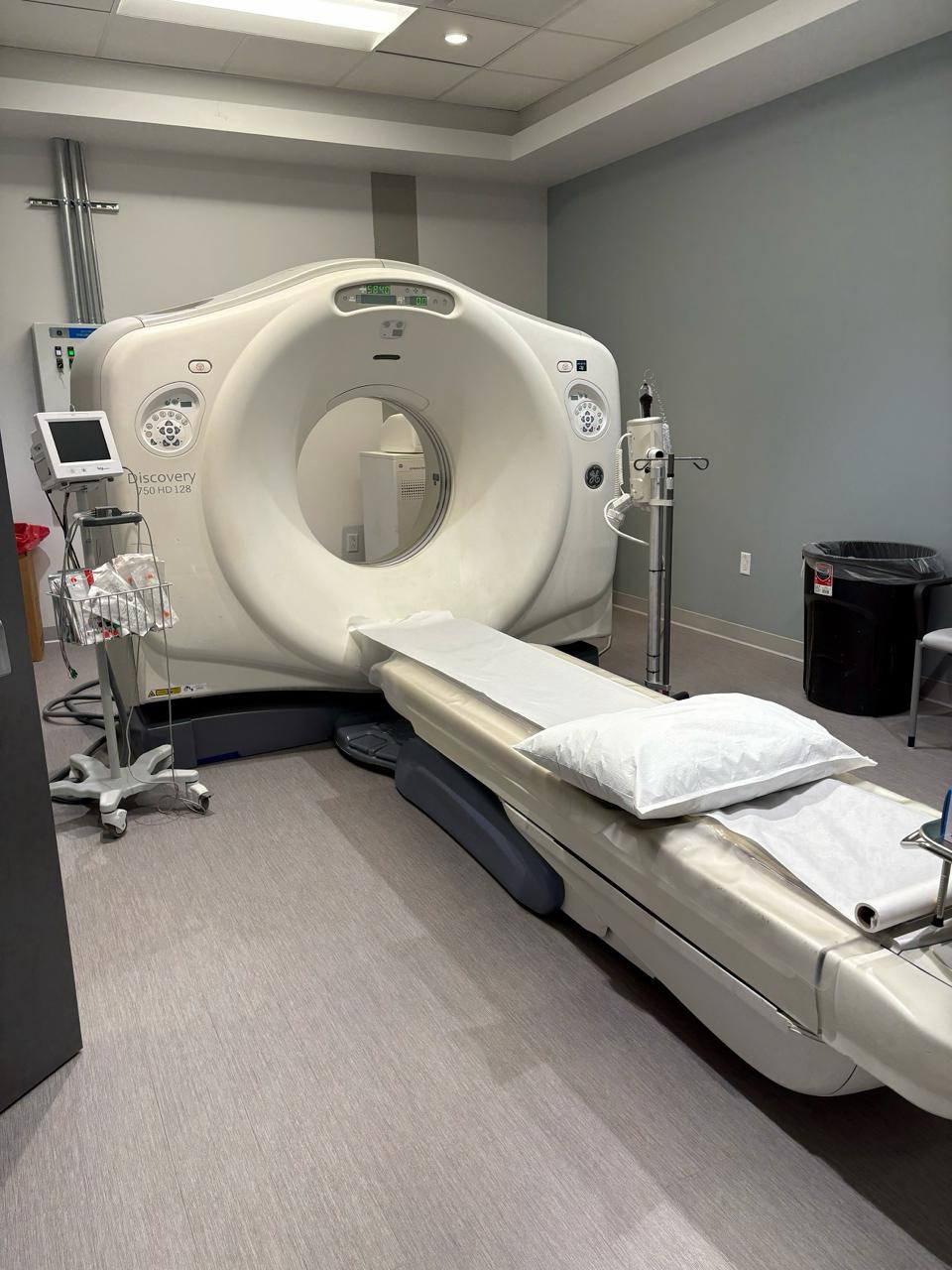
Practical considerations, risk points, and what to ask before you buy, service, move, or maintain imaging equipment.
CT scanner installation can take days or weeks once the system is on site, but the full project timeline is usually driven by site readiness: room work, electrical capacity, HVAC/cooling, shielding review, delivery access, rigging, IT connectivity, and service coordination. A clean replacement in a prepared CT room may move quickly. A new room, old building, X-ray conversion, or unfinished utility plan can stretch the timeline before the scanner ever reaches the door.
The practical answer is simple: do not ask only how long installation takes. Ask what has to be ready before installation can start.
Installation time starts before the truck arrives
Most CT installation delays are not caused by the scanner. They come from the room. A CT can be purchased, loaded, shipped, and delivered, but the project still stalls if the doorway is too small, power is not ready, cooling is undersized, the control room is unfinished, shielding review is incomplete, or the network team has not planned DICOM/PACS connectivity.
That is why MIS treats installation timing as a project-readiness question. The equipment, site, contractors, rigging path, service team, and facility workflow all need to line up. A used or refurbished CT purchase can be a smart capital move, but it needs the same discipline as any serious imaging project.
If you are still selecting the scanner, start with the CT scanner slice count guide and the CT equipment category. The system choice affects room layout, utility requirements, service access, and installation planning.
Replacement projects are usually faster than new rooms
A CT replacement in an existing CT suite is often the cleanest path, especially when the room was built for CT, the delivery route is known, and the facility already understands its electrical, HVAC, shielding, control room, and network environment. Even then, “replacement” does not mean automatic.
The old scanner has to be deinstalled, removed, and possibly traded, sold, stored, or disposed of. The room may need patching, repainting, floor repair, new cables, updated power, workstation changes, or control-room revisions. If the replacement scanner has a different footprint or service-clearance requirement, the room may need more work than expected.
New rooms take longer because more disciplines are involved. Architects, contractors, electricians, mechanical teams, IT, facility leadership, physicists or radiation-safety reviewers, and equipment support all touch the schedule. A room that looks nearly finished can still be weeks away from being CT-ready if one utility or review is missing.
For replacement planning, read MIS’s medical imaging equipment deinstall, shipping, and installation guide before assuming the install date is the whole schedule.
The main factors that change the timeline
CT installation timing depends on the actual model and the actual site. The biggest drivers are usually room readiness, delivery path, utilities, shielding review, and IT coordination.
Room readiness includes scan room layout, table travel, patient flow, ceiling height, service clearance, control-room workflow, flooring, lighting, cable pathways, and equipment-cabinet placement. Electrical readiness includes service capacity, grounding, power quality, disconnects, transformer needs where applicable, and whether the work matches the manufacturer’s pre-installation requirements.
Cooling can be just as important. CT systems produce heat through the X-ray tube, gantry electronics, reconstruction hardware, and related cabinets. The facility needs to confirm the scan room and equipment area can maintain the required environment for the specific scanner.
Delivery and rigging also decide the schedule. Loading dock access, exterior doors, hallway turns, elevators, floor transitions, staging areas, and final room access should be checked before delivery. A scanner that cannot make the turn is not an installation problem; it is a planning problem that should have been caught earlier.
IT and workflow details should not wait until the end
A CT scanner is not finished when the gantry is in the room. The system has to fit the facility’s operating workflow. That can include network drops, IP information, DICOM destinations, PACS routing, modality worklist details where applicable, remote support paths, workstation placement, printer or media needs if used, and coordination with the facility’s IT and imaging teams.
For public planning, MIS keeps this at the operational level. The exact IT details depend on the scanner, site security policies, PACS/RIS environment, and support model. The important point is that IT should be in the project early, not called after the room is painted and the scanner is waiting.
Good workflow planning also looks at staff movement, patient transfer, emergency access, contrast workflow if relevant, technologist seating, sight lines, communication, storage, and how service engineers will work around the system later. A room can be technically installable and still be frustrating to operate every day.
What to send before asking for an installation timeline
If you want a useful CT installation timeline, send more than the scanner model. MIS can review the project faster when the request includes the facility location, floor level, target CT manufacturer and model if known, slice count needs, whether this is a new room or replacement, and whether old equipment must be removed.
Also send room dimensions, ceiling height, photos from each corner, control-room photos, hallway and door photos, loading-dock or exterior-access photos, available drawings, known power and HVAC status, shielding-review status, equipment-room options, network/PACS needs, desired go-live date, and any contractor or facility constraints.
Do not include PHI in photos, screenshots, labels, schedules, reports, logs, image previews, or documents. A clean room photo is useful. A console screenshot with patient information is not.
The same intake discipline helps with quoting. If the project is still in the purchase stage, pair the installation discussion with a quote request through /quote, CT availability through /equipment/ct, and support planning through /services.
Common mistakes that slow CT installations
The first mistake is buying the scanner before the room has been reviewed. A good equipment price can turn into a poor project if the site needs unexpected electrical work, HVAC upgrades, shielding changes, structural review, rigging changes, or extended downtime.
The second mistake is assuming an existing imaging room is automatically ready. An old CT room may still need updates, and an X-ray room is not automatically a CT room. If that is your situation, read can a CT scanner go in an existing X-ray room? before treating the space as ready.
The third mistake is leaving service access out of the layout. If engineers cannot safely reach panels, cabinets, cooling components, or work areas, the room may create long-term service problems even if the scanner can be installed.
The fourth mistake is making the installation team discover site issues on arrival. By then, trucks, crews, contractors, and clinical schedules may already be committed. A disciplined pre-installation review is less exciting than a delivery day, but it is where the project is won.
FAQ
Can a CT scanner be installed in one day?
Some narrow pieces of a CT project may happen in a day, but a full installation should not be planned that casually. Delivery, rigging, placement, utility connection, system setup, testing, acceptance workflow, IT coordination, and site-specific review all affect the real timeline.
What usually delays CT scanner installation?
Common delays include unfinished electrical work, inadequate cooling, incomplete shielding review, poor delivery access, old equipment removal problems, missing drawings, unclear IT requirements, contractor delays, and room layouts that do not leave enough service clearance.
Is a CT replacement faster than a first-time CT installation?
Often, yes, because the facility may already have a CT room, control area, shielding history, power, HVAC, and workflow. But the replacement scanner still has to match the room, delivery path, utilities, and support plan.
Should I schedule patients before the CT installation is complete?
Be careful. Facilities should avoid committing a patient schedule until the installation, testing, required site reviews, staff workflow, service support, and internal approvals are complete. The exact go-live process depends on the site and scanner.
Can MIS help if the site is not ready yet?
MIS can help review the equipment side of the project, quote refurbished CT options, coordinate service and parts support, and discuss logistics or mobile imaging backup through /leasing/mobile. Site construction, electrical, shielding, and regulatory decisions still need the proper qualified professionals for the facility.
Schema recommendation
Use Article or BlogPosting schema for the post and FAQPage schema for the FAQ section. If the page links into approved CT equipment or service pages, Service schema may be appropriate on those destination pages. Do not add price, availability, installation guarantee, shielding, electrical, or compliance schema unless approved source data exists.
Planning a CT scanner purchase, replacement, or room conversion? Send MIS the scanner target, site details, room photos, delivery path, utility status, timeline, and support goals through /quote or /contact so the team can help pressure-test the equipment, logistics, service, parts, and uptime plan before the schedule gets expensive.
Need help with this exact problem?
Send the modality, site location, timeline, and any system details. MIS will route the request by intent.
Related resources
Ops Playbook
What Site Requirements Are Needed for a CT Scanner?
CT scanner site requirements include room fit, power, cooling, shielding review, access, IT, service clearance, and project planning.
Ops Playbook
How Quickly Can a CT Scanner Be Repaired After Downtime?
CT repair speed depends on diagnosis, parts, access, service history, and site readiness. Learn what helps a scanner get back online faster.
Ops Playbook
Can a CT Scanner Go in an Existing X-Ray Room?
An existing X-ray room may work for CT, but room size, power, cooling, shielding, access, workflow, and service clearance need review.